QQ Bot
Connect your AI assistant to QQ for chatting. Supports Markdown, images, voice, files, and more. Works on both mobile and desktop QQ.
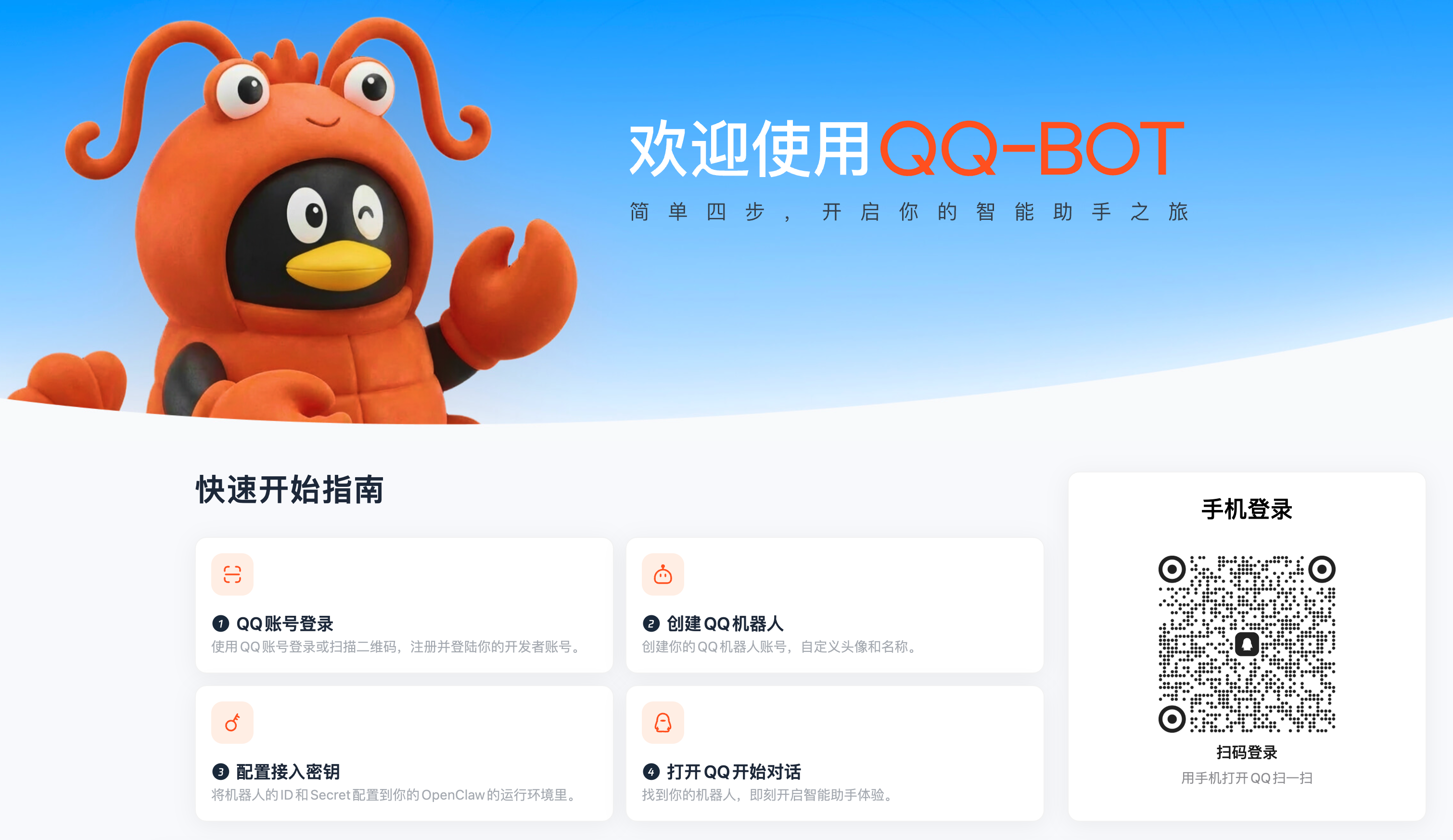
Step 1: Login to QQ Bot Platform
Section titled “Step 1: Login to QQ Bot Platform”Visit the QQ Bot Setup Page and scan the QR code with your QQ app to login.
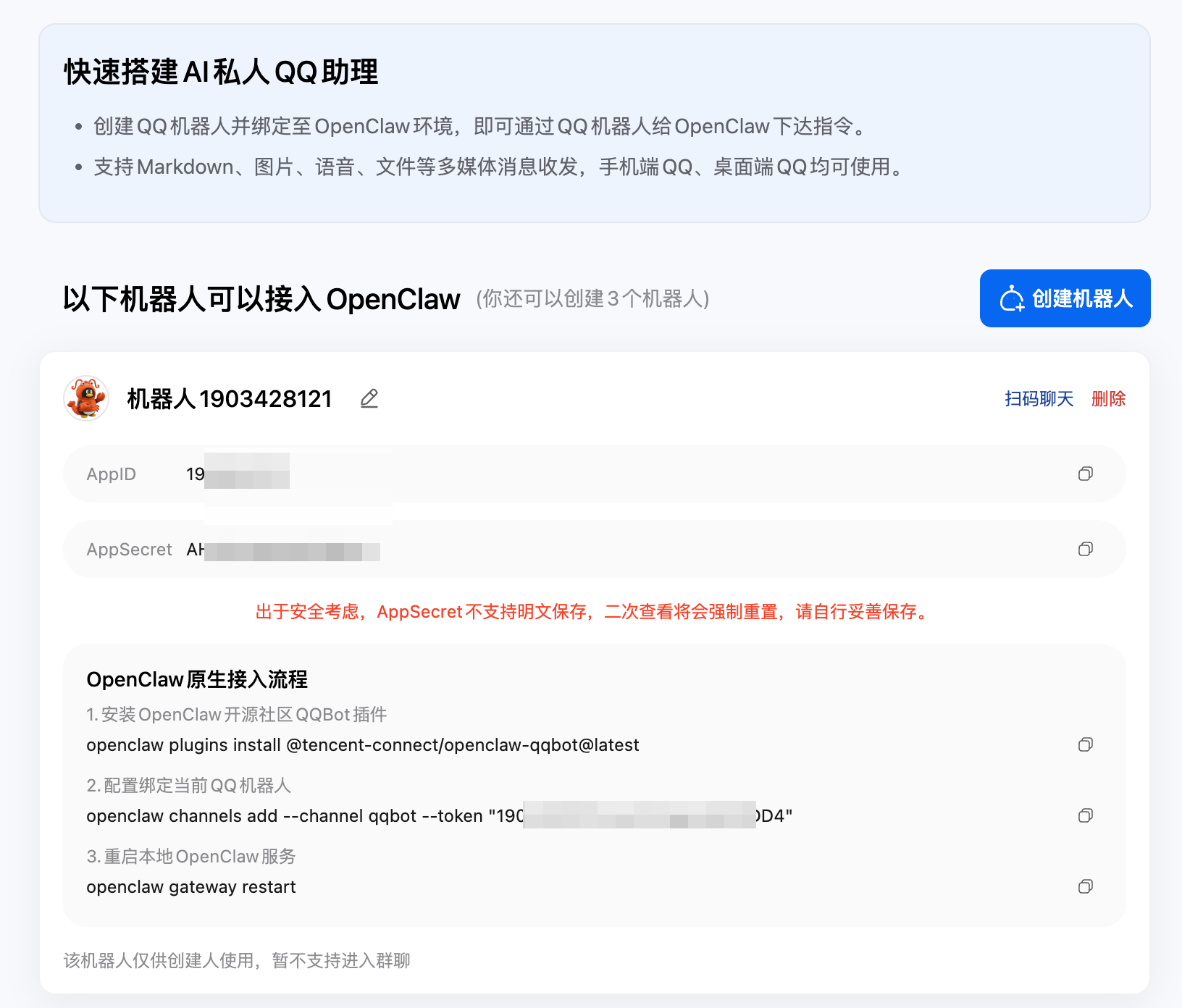
Step 2: Create a Bot
Section titled “Step 2: Create a Bot”- After login, click Create Bot
- Give your bot a name (e.g. “My AI Assistant”)
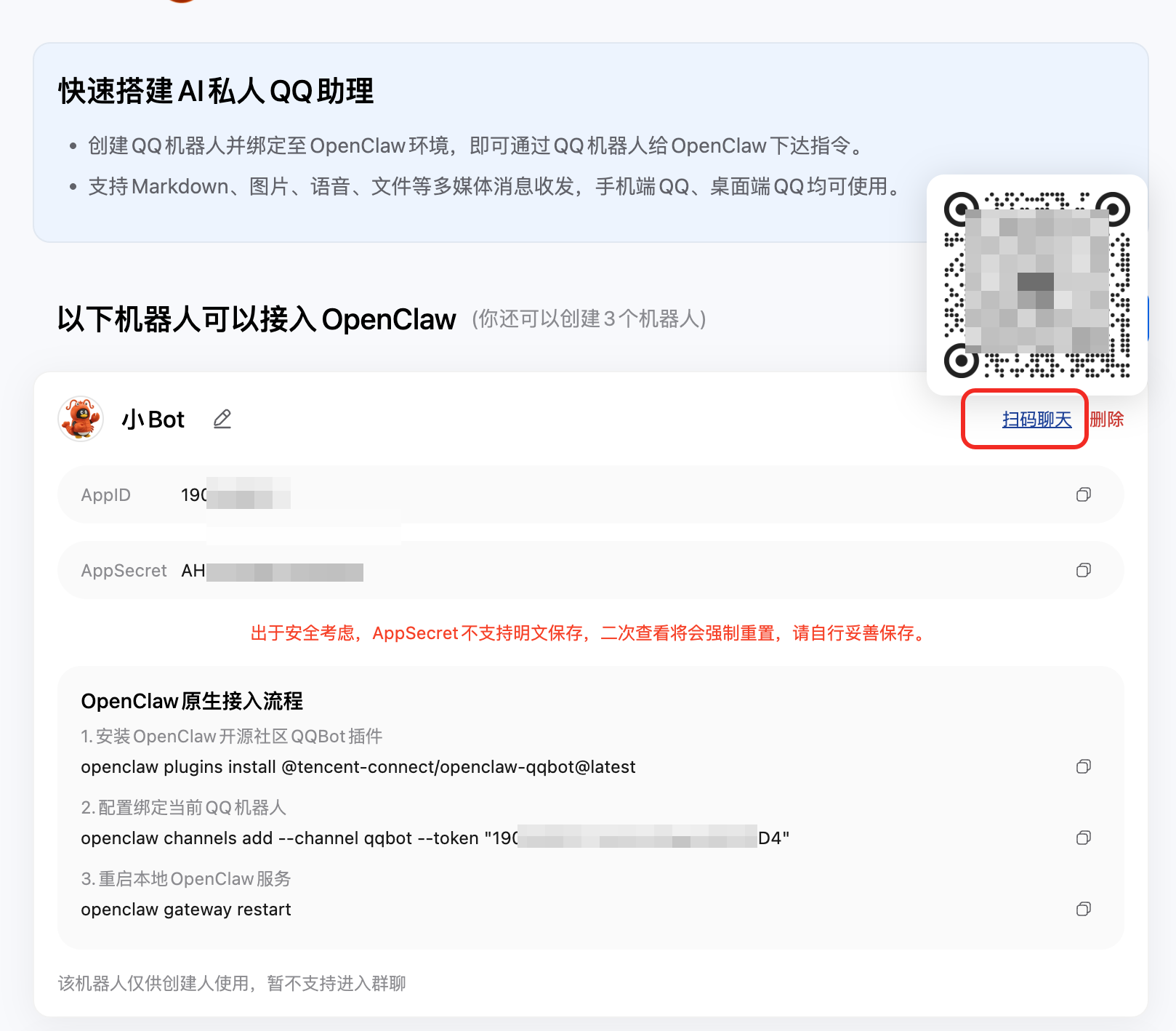
- The system will generate an App ID and App Secret
- Copy both values
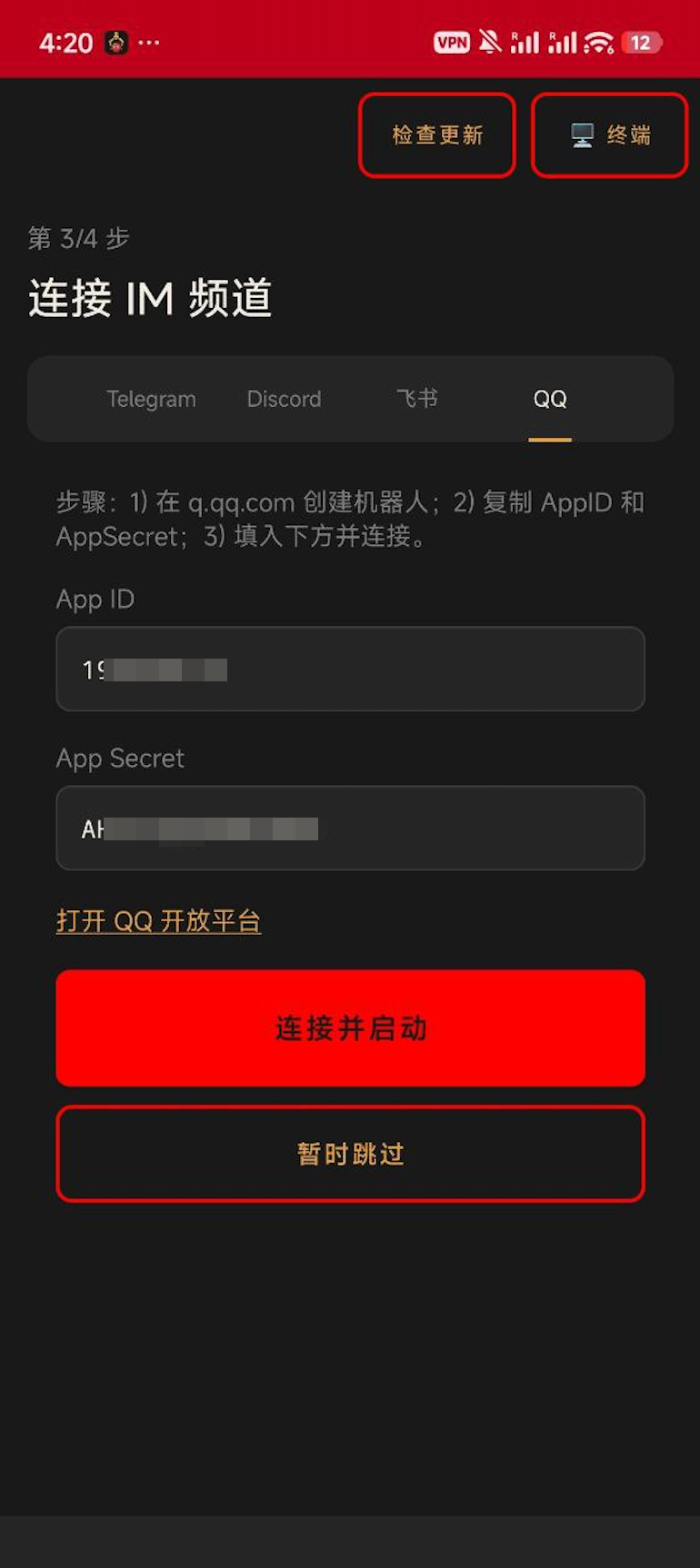
Step 3: Configure in BotDrop
Section titled “Step 3: Configure in BotDrop”- Open BotDrop app
- Go to Connect IM Channel
- Select the QQ tab
- Enter your App ID and App Secret
- Tap Connect & Start
Step 4: Add the Bot to QQ
Section titled “Step 4: Add the Bot to QQ”- Go back to the QQ Bot web page
- Click Scan to Chat on your bot’s card
- Scan the QR code with your QQ app
- Add the bot as a friend and start chatting
- The bot is private to the creator. Group chat is not supported yet.
- Each account can create up to 5 bots.
- App Secret cannot be viewed again after creation. Reset it if lost.
Troubleshooting
Section titled “Troubleshooting”| Problem | Solution |
|---|---|
| Connection failed | Check that App ID and App Secret are correct. No extra spaces. |
| Bot doesn’t respond | Make sure OpenClaw gateway is running (green status on Dashboard). |
| Can’t find the bot | Use the QR code from the web page to add it. |